
Unlock your space’s potential with the best apps for interior design that blend quick concepting, photoreal visuals, and AI-powered insights into a workflow you can actually enjoy. Whether you’re redecorating a single room or planning a full-home makeover, these tools help you sketch ideas, visualize outcomes, and iterate with clients or roommates. This guide brings together top picks, what they’re best at, and how to choose the right mix for your project. For practical shopping and tool options, consider a category-wide resource such as interior design software apps to compare features, pricing, and availability.
Find Your Perfect Design Tool
In today’s tech-savvy world, the right app can turn your interior design dreams into reality faster than ever. With numerous options available, you might wonder which are the absolute best. Here’s a quick list of some of the top contenders:
- Planner 5D
- Homestyler
- Coohom
- Foyr Neo
- IKEA Place
These apps not only simplify the design process but also empower you to bring your creative vision to life. Let’s explore what makes each one special and how they can transform your space without the fuss!
Unlock your space’s potential with the best apps for interior design that blend quick concepting, photoreal visuals, and AI-powered insights into a workflow you can actually enjoy. Whether you’re redecorating a single room or planning a full-home makeover, these tools help you sketch ideas, visualize outcomes, and iterate with clients or roommates. This guide brings together top picks, what they’re best at, and how to choose the right mix for your project. For practical shopping and tool options, consider a category-wide resource such as interior design software apps to compare features, pricing, and availability.

| App Category | Core Strengths | Best Use For |
|---|---|---|
| 2D/3D Planning | Planner 5D, Homestyler, Coohom | Quick layouts, photoreal visuals, client concepts |
| Professional Visualization | Foyr Neo, Coohom | Rapid renders, 4K+ outputs, client-ready presentations |
| Augmented/Visual Shopping | IKEA Place, AR-focused planners | See furniture in your real space before buying |
What makes interior design apps powerful today
Today’s interior design apps combine flexible layout tools, expansive furniture libraries, and AI-assisted features to speed up concepting and presentation. The best options let you sketch a room, drop in furniture, test lighting, and generate mood boards or design iterations without needing desktop CAD software. AI capabilities—like automatic layout suggestions, room scanning, or quick mood-board generation—help you move from idea to reality faster and break through creative blocks. When choosing the best interior design apps, think about your end game: quick concept visuals, client-ready presentations, or professional-grade renders.
Overview of leading apps for interior design in 2026
Planner 5D
Planner 5D is a long-standing, consumer-friendly home design tool that now leans into AI-assisted design with features like AI Designer and a Smart Wizard. It supports 2D and 3D floor plans, a broad catalog of furnishings, and cross-platform syncing. It’s a popular pick for fast visuals without the CAD learning curve, with free tiers and premium upgrades that unlock 4K renders and more assets. The iPad listing emphasizes AI design modes, Apple Pencil support, and a large asset catalog for personalization.
Homestyler
Homestyler remains a user-friendly interior design app with a robust 3D editor and a sizable asset library. It continues to offer accessible AI features and collaboration options, making it versatile for quick concepting, virtual staging, and team work sessions. It’s particularly handy for mood boards and presenting ideas to clients or roommates in a clean, approachable interface.
Coohom
Coohom targets professionals and keen DIY designers with cloud rendering, room modeling, and AI-assisted capabilities. It’s well regarded for realistic visuals and browser-based collaboration. Some users note a learning curve and pricing considerations, but it remains strong for producing fast, photorealistic outputs, especially when cross-device accessibility matters.
Foyr Neo
Foyr Neo is a cloud-based interior design and visualization tool focused on speed, real-time 3D editing, and polished client presentations. It’s widely recommended for teams that need professional renders and easy sharing. It sits on the pro side of the spectrum, complementing planners and architects with strong collaboration features and scalable workflows.
AR-driven tools (IKEA Place and similar)
AR tools like IKEA Place let you visualize furniture in your actual space using a phone or tablet. These apps are invaluable for validating scale, color, and vibe before purchase, and they pair well with mood boards and layout apps to support a practical shopping workflow.

How to choose the best apps for your needs
- Define your goal: quick concepting vs. client-ready presentations. Planner 5D and Homestyler are excellent for rapid ideation; Coohom and Foyr Neo excel in higher-fidelity renders.
- Assess AI capabilities: Look for AI-generated layout suggestions, mood boards, color recommendations, and automated lighting analysis.
- Consider output needs: Do you need 4K renders, 360° tours, or easy client collaboration and sharing? Check export formats and sharing options.
- Check accessibility and platform: Do you want cross-platform use (iPad, Mac, Windows, web)? Some tools shine on specific devices, such as iPad or web-only experiences.
- Budget and trials: Many apps offer free tiers or trials. Plan your budget around required features—renders, asset libraries, collaboration, and AI features.
Practical steps to get the most from interior design apps
- Measure accurately: Use painter’s tape to mark footprints and create cardboard cutouts for planned furniture to test fit and flow before committing to digital placements.
- Use physical samples: Bring real paint swatches and wood samples into daylight to compare with screen previews, helping avoid color drift under different lighting.
- Build mood boards: Start with a mood board app or the built-in mood board tools in your interior design app to align color, texture, and style before placing items.
- Iterate creatively: Don’t settle on the first render. Generate several layout options and compare spatial relationships, traffic patterns, and focal points.
- Consider scale and lighting: Test lighting scenarios (natural vs. artificial) to ensure the final design reads well in real conditions.

Tips for using AI in interior design apps
- Treat AI as inspiration: Use AI-generated layouts and mood boards to spark ideas, then tailor them to your taste and the space’s constraints.
- Avoid over-rendering: It’s easy to fall into endless refinements. Set a clear decision deadline for a design direction.
- Cross-check outputs: Compare AI-driven suggestions with real-world constraints like wiring, HVAC, and structural limits.
What readers should consider next
If you’re starting with interior design apps for home projects, prioritize user-friendly tools like Planner 5D or Homestyler to learn the workflow quickly. If you’re a professional designer seeking robust visuals and collaboration, explore Coohom or Foyr Neo to support client presentations and faster production timelines. For room-scale validation and shopping accuracy, integrate AR tools like IKEA Place to confirm scale and aesthetics in real spaces.
If you’re in the market for the best AI-enabled interior design tools, consider trying Planner 5D, Homestyler, Coohom, and Foyr Neo to cover a range of needs—from beginner-friendly mood boards to professional-grade renders. The best interior design apps for iPad or web often bring your ideas to life with less friction, so you can focus on making spaces that feel like home.
Curious which combination works best for your space? Share what you’re designing, the devices you use (iPad, Mac, or PC), and any must-have features. I’m happy to tailor a recommended setup with concrete steps and current pricing for the apps that fit your project.
Happy designing, and may your next room be your best room design yet.
AI design tools to consider (brief snapshot)
In addition to the apps above, many designers explore AI-focused tools to generate ideas, mockups, and color palettes. For example, RoomGPT, Interior AI, and other AI-assisted design helpers can speed up the ideation phase. Use these as inspiration—and always cross-check outputs against space constraints, building codes, and practical considerations like lighting and acoustics. When evaluating, balance creativity with reliability, and prefer tools that offer clean hand-offs to your core workflow.
Practical shopping and workflow integration
For shopping and collaboration, pairing a mood-board-centric app with an AR shopping tool often yields the best results. Use mood boards to align on color and texture, then validate scale and styling with AR previews in your space. When presenting to clients, keep a thread of tangible details—material finishes, lighting scenarios, and furniture dimensions—so the conversation stays grounded in reality.
| Need | Recommended Apps | Why |
|---|---|---|
| Quick concept visuals | Planner 5D, Homestyler | Fast, accessible visuals with enough detail for early decisions |
| Professional renders | Foyr Neo, Coohom | Photorealistic outputs and client-ready presentations |
| Real-space shopping validation | IKEA Place, AR planners | See how furniture fits and feels in the actual room |
For more in-depth exploration, Planner 5D’s app page and architectural roundups highlight how these tools fit modern design workflows. Planner 5D’s blend of AI features, cross-platform access, and a broad furniture catalog makes it a solid starting point for many users, while professional workflows often benefit from the enhanced rendering capabilities of Foyr Neo and Coohom. If you want inspiration alongside shopping and collaboration, Houzz remains a reliable hub for ideation and project management.
Curious which combination works best for your space? Share what you’re designing, the devices you use (iPad, Mac, or PC), and any must-have features. I’m happy to tailor a recommended setup with concrete steps and current pricing for the apps that fit your project.
Happy designing, and may your next room be your best room design yet.
Design Home™: House Makeover See current pricing on Amazon

This app targets aspirational designers who enjoy high-gloss, realistic interior styling experiences. It emphasizes quick, creative experiments with color palettes, furniture layouts, and texture combinations in themed environments. While primarily a game, it provides inspiration and ideas for real-world spaces and renovation planning.
- ASIN: B06XTDGNJL
- Platform: Mobile (iOS/Android) and related light-weight web experiences
- URL: https://www.amazon.com/dp/B06XTDGNJL?tag=11ll11-20
- Notes: Popular for trend-forward interiors and rapid iteration of room concepts
Room Creator Interior Design : Room Planner 3D See current pricing on Amazon

This tool focuses on practical space planning, enabling users to visualize furniture scale, room flow, and lighting in a 3D environment. It’s suitable for hobbyists and aspiring designers who want to prototype layouts before purchasing items for real spaces.
- ASIN: B07HQQQ2W9
- Platform: Mobile and web-based planner
- URL: https://www.amazon.com/dp/B07HQQQ2W9?tag=11ll11-20
- Notes: Emphasizes accurate room dimensions and object placement
Interior Design See current pricing on Amazon

This resource provides foundational ideas for interior aesthetics, including how to combine different materials, textures, and color schemes to achieve cohesive spaces. It serves as a reference for both beginners and seasoned enthusiasts seeking design direction.
- ASIN: B00JWIL1FY
- Platform: Print/digital guide (conceptual reference across formats)
- URL: https://www.amazon.com/dp/B00JWIL1FY?tag=11ll11-20
- Notes: Broad overview rather than a single app; useful for grounding concepts
Home Design: House & Mansion Interior Makeover See current pricing on Amazon
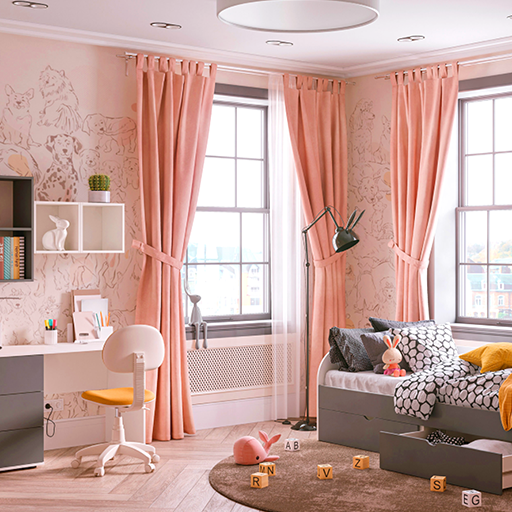
This title targets players who enjoy high-end, mansion-scale design challenges. It showcases ornate furniture, dramatic color palettes, and opulent décor combinations, appealing to users seeking aspirational makeover ideas for expansive spaces.
- ASIN: B09Z5XPGPF
- Platform: Mobile/PC crossover gameplay
- URL: https://www.amazon.com/dp/B09Z5XPGPF?tag=11ll11-20
- Notes: Emphasis on luxury interiors and space planning for large rooms
INTERIOR DESIGN IDEAS See current pricing on Amazon
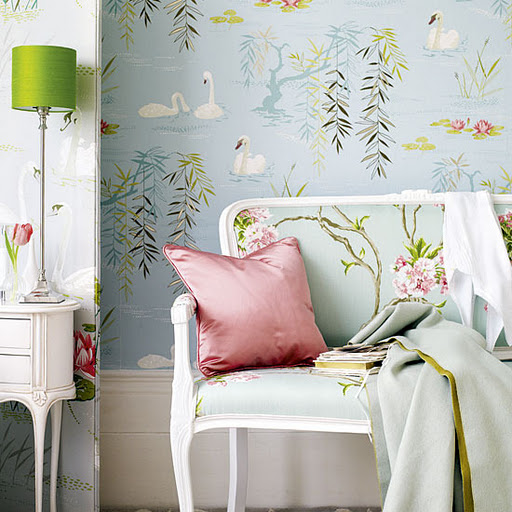
Ideal for readers and casually interested designers, this resource leans toward actionable tips, quick wins, and visual demonstrations that can be applied in real rooms without extensive remodeling.
- ASIN: B00HKYW2C8
- Platform: Print/digital format
- URL: https://www.amazon.com/dp/B00HKYW2C8?tag=11ll11-20
- Notes: Great for quick inspiration and practical guidance
My Home Design - Modern City See current pricing on Amazon
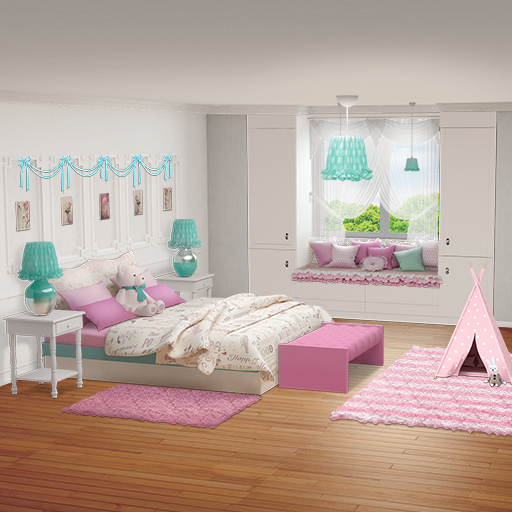
This title emphasizes modern, city-based design aesthetics, focusing on clean lines, multifunctional furniture, and urban-inspired accents suitable for small- to mid-sized spaces.
- ASIN: B087JBJHZ4
- Platform: Mobile/PC hybrid design app
- URL: https://www.amazon.com/dp/B087JBJHZ4?tag=11ll11-20
- Notes: Strong for modern and minimalist design concepts
Home Design : Amazing Interior See current pricing on Amazon

This title invites experimentation with strong color palettes, feature walls, and standout furniture. It’s well-suited for creative experimentation and learning how bold choices affect a room’s mood.
- ASIN: B089K9VWCY
- Platform: Mobile/digital design experience
- URL: https://www.amazon.com/dp/B089K9VWCY?tag=11ll11-20
- Notes: Encourages bold, expressive interior styling
Sweet Home 3D [PC Download] See current pricing on Amazon

Designed for practical planning, this option is ideal for users who want to design and visualize floor plans on a computer before moving to physical purchases or renovations.
- ASIN: B00NLVKPDM
- Platform: PC download
- URL: https://www.amazon.com/dp/B00NLVKPDM?tag=11ll11-20
- Notes: Desktop-based planning with 3D visualization
Interior Story - Decorate Your Own Dream House: Home Designing & Decorating Games With Match 3 See current pricing on Amazon

The game-style approach provides a casual, engaging way to explore color coordination and decor synergy while enjoying light puzzle mechanics.
- ASIN: B088GVQ89Z
- Platform: Mobile game with decorating focus
- URL: https://www.amazon.com/dp/B088GVQ89Z?tag=11ll11-20
- Notes: Combines design tasks with casual gameplay elements
Home Interior Design See current pricing on Amazon
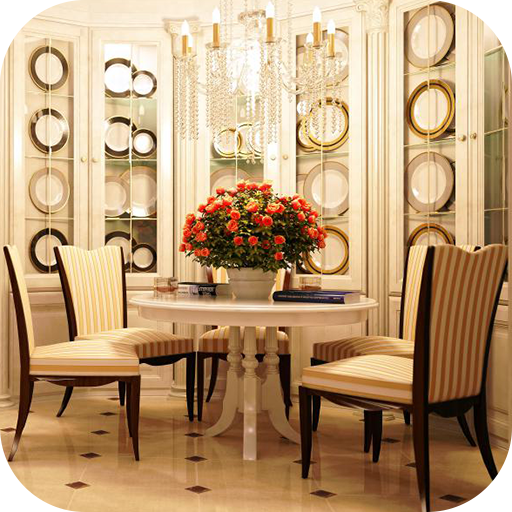
This resource centers on practical, achievable interior improvements for typical living spaces, highlighting functional layouts, budget-friendly upgrades, and accessible decor options.
- ASIN: B00HV02OOC
- Platform: Mobile/digital design content
- URL: https://www.amazon.com/dp/B00HV02OOC?tag=11ll11-20
- Notes: Emphasizes practicality and budget-conscious design choices
When it comes to transforming your living space into a personal sanctuary, the right apps can be your best friend. From visualizing your dream room to experimenting with color palettes and furniture arrangements, these tools make the once-daunting process of interior design both fun and accessible. Whether you're a seasoned designer or a curious novice, there’s an app tailored just for you that can spark your creativity and bring your visions to life. So grab your smartphone or tablet, explore your options, and let your imagination run wild!
Stay Inspired and Connected
Don't forget, the world of interior design is constantly evolving, and keeping up with the latest trends can be just as exciting as the projects themselves. I highly encourage you to stay connected and explore more through our social media! For daily inspiration, tips, and fresh ideas, check us out on Instagram at our page. Happy designing!
