
Find the best large format printer for architecture students that balances quality, size, and budget. Discover how to elevate your projects today!
HP OfficeJet Pro 9730 Wide-Format Wireless All-in-One Color Inkjet Printer

The HP OfficeJet Pro 9730 is a versatile wide-format all-in-one suitable for architecture students who need to print, scan, and copy on larger sheets. With up to 11x17 (A3) output and built-in wireless connectivity, it streamlines project workflows from design to review. Its Instant Ink trial adds ongoing cost-savings for frequent users.
- Largest supported media: up to 11x17
- Wireless, duplex printing, ADF for scanning and copying
HP DesignJet T630 Large Format 24-inch Plotter Printer

The HP DesignJet T630 is a dedicated CAD/plotter solution ideal for students needing consistent 24-inch prints. It ships with practical accessories like an auto sheet feeder and a dedicated stand. This model brings reliable color and line accuracy for technical drawings.
- Plotter-oriented with auto sheet feeder
- 24-inch printing for CAD sheets and posters
Canon imagePROGRAF TC-21 24" Large Format Printer

The Canon imagePROGRAF TC-21 combines poster and plotter capabilities in a compact 24" package, including automatic roll and cut-sheet handling. This is a solid option for students who need flexible media handling and crisp color for presentations or final-build drawings.
- Automatic roll feed and cut-sheet feeder
- 24" wide format for posters and CAD plots
HP DesignJet T210 Large Format 24-inch Poster Printer
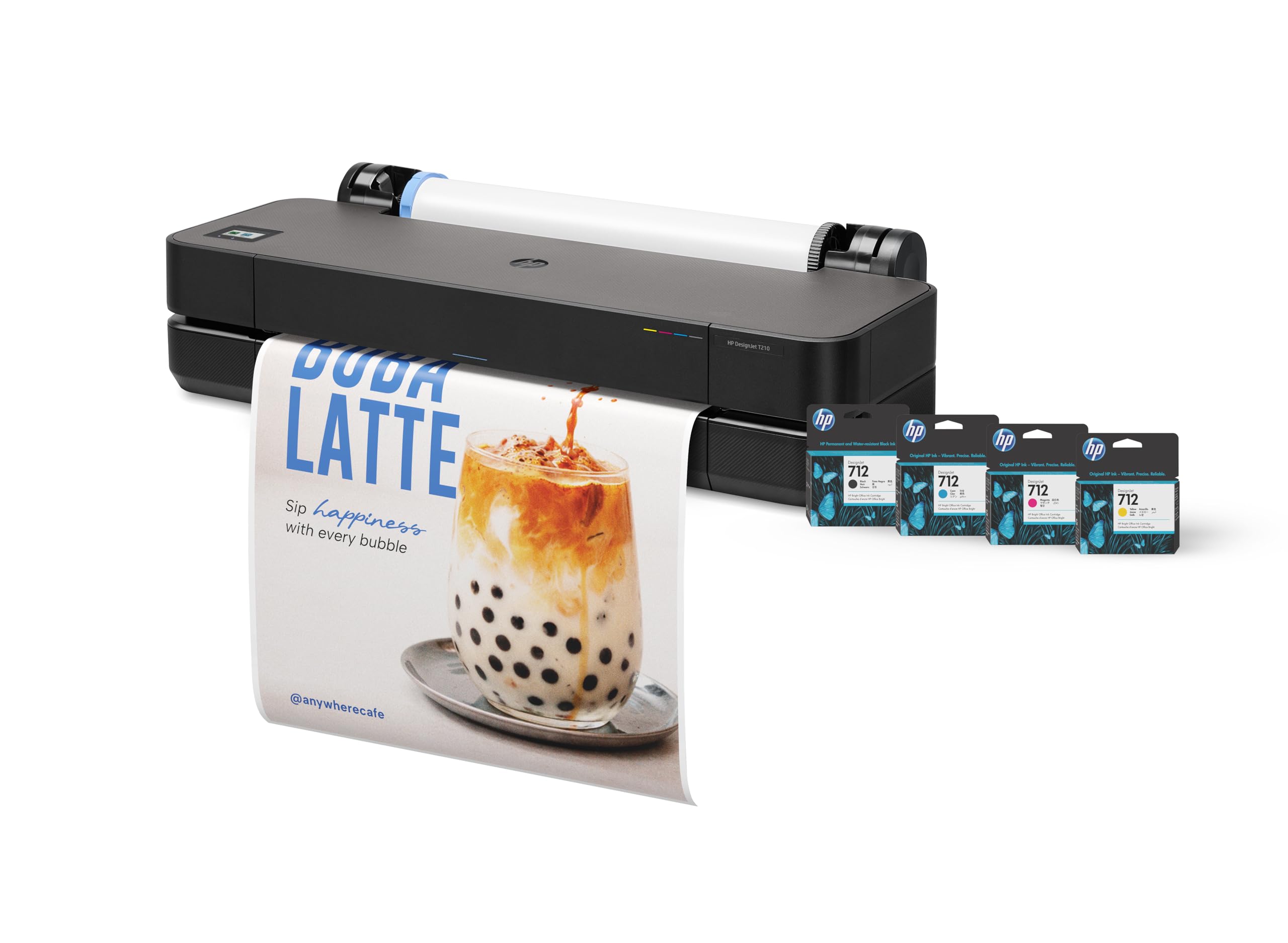
The HP DesignJet T210 focuses on easy CAD and poster printing with reliable color and simple setup. It’s designed for students who want a budget-friendly entry into wide-format printing without sacrificing essential capabilities like poster-worthy outputs and basic CAD plotting.
- 24-inch print width with simple CAD-friendly workflow
- Competitive entry-level wide-format option
HP OfficeJet Pro 9720 Wide-Format Wireless All-in-One
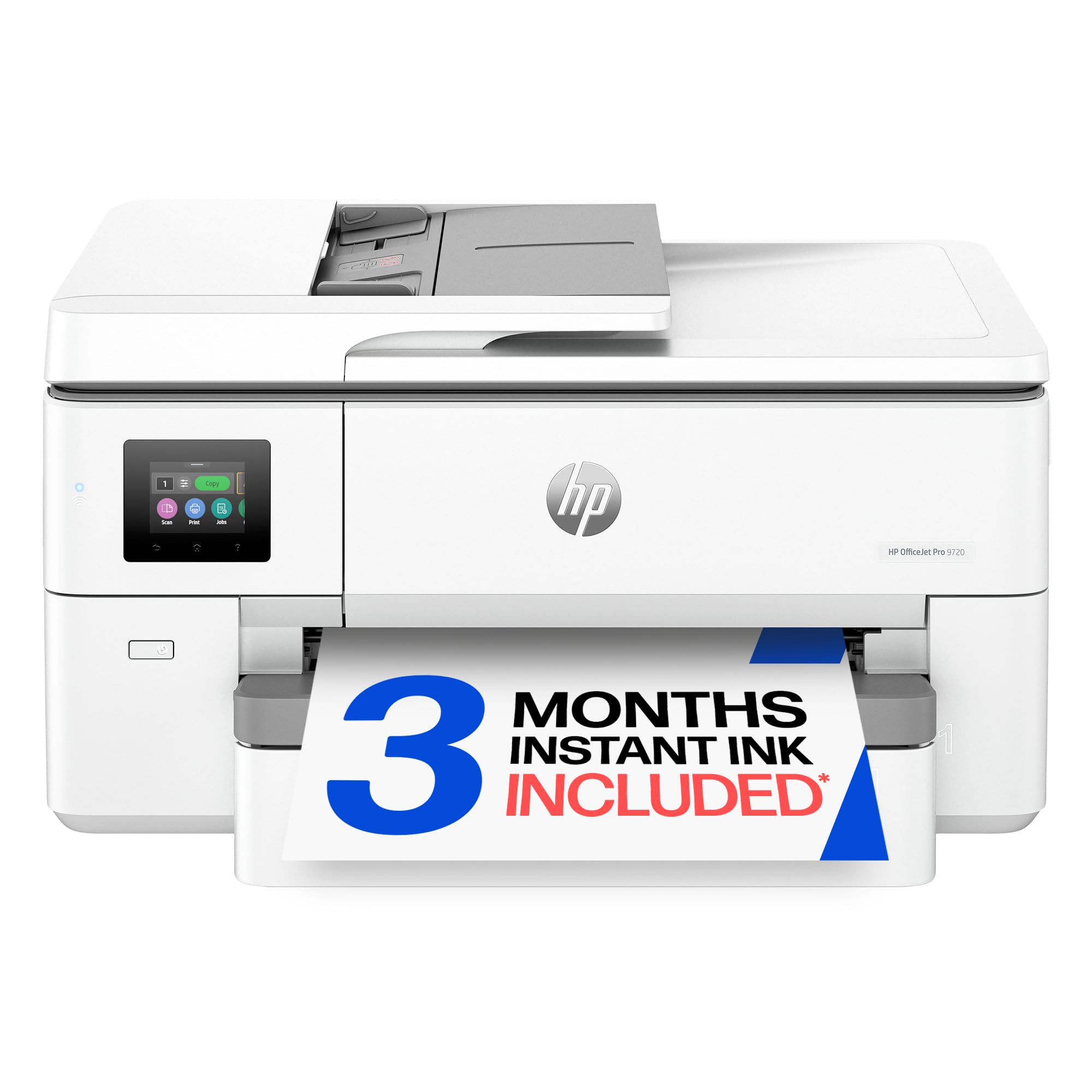
The HP OfficeJet Pro 9720 is a robust all-in-one that handles wide-format tasks up to 11x17. Its multifunction design makes it suitable for studio environments where printing, scanning, and copying are required in a single device, with a focus on office-friendly features and workflow efficiency.
- 11x17 (A3) output
- All-in-one with scanning, fax, duplex
Epson EcoTank Photo ET-8550 Wireless Wide-Format All-in-One

The Epson EcoTank ET-8550 uses a refillable ink system and offers wide-format color printing with a high-resolution scanner. It’s a compelling choice for students who prioritize color accuracy for posters, art prints, or presentation boards, while keeping ink costs predictable.
- EcoTank refillable ink system
- Wide-format color printing with high-resolution scan
HP DesignJet T650 Large Format 36-inch Plotter Printer

The HP DesignJet T650 is a larger-format plotter option for 36-inch output, combining robust design with solid warranty and support. Architects-in-training can leverage its bigger media capability for large-scale posters and presentation boards while maintaining color fidelity and line accuracy.
- 36-inch print width
- Warranty and support options
Canon imagePROGRAF TM-340 36" Large Format Printer
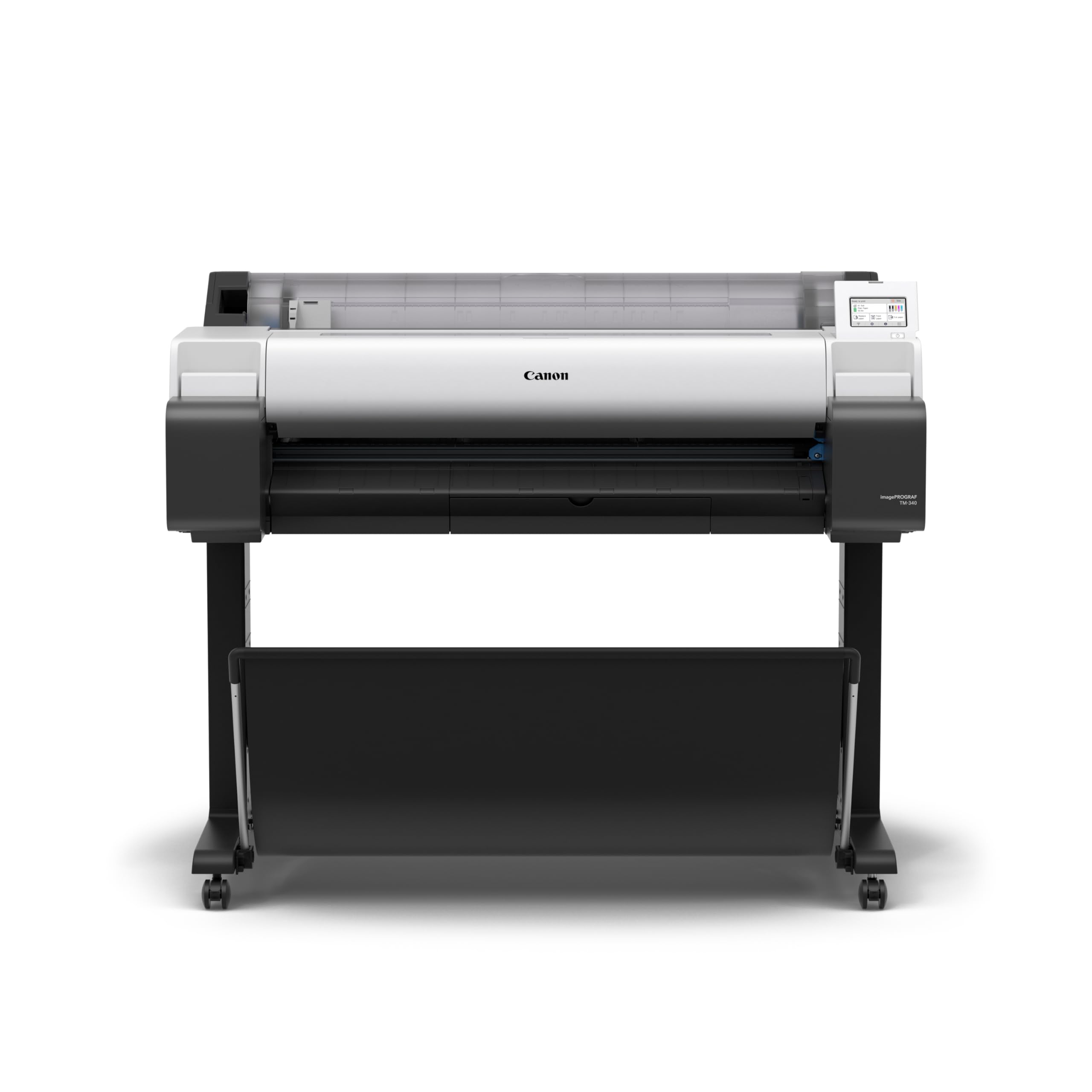
The Canon imagePROGRAF TM-340 is a large-format 36" printer designed for accurate color reproduction and easy media detection. This makes it suitable for students who need consistent color across multiple prints for boards, portfolios, or design reviews.
- 36-inch wide format
- Color calibration and media detection
Canon imagePROGRAF TM-240 24" Large Format Printer
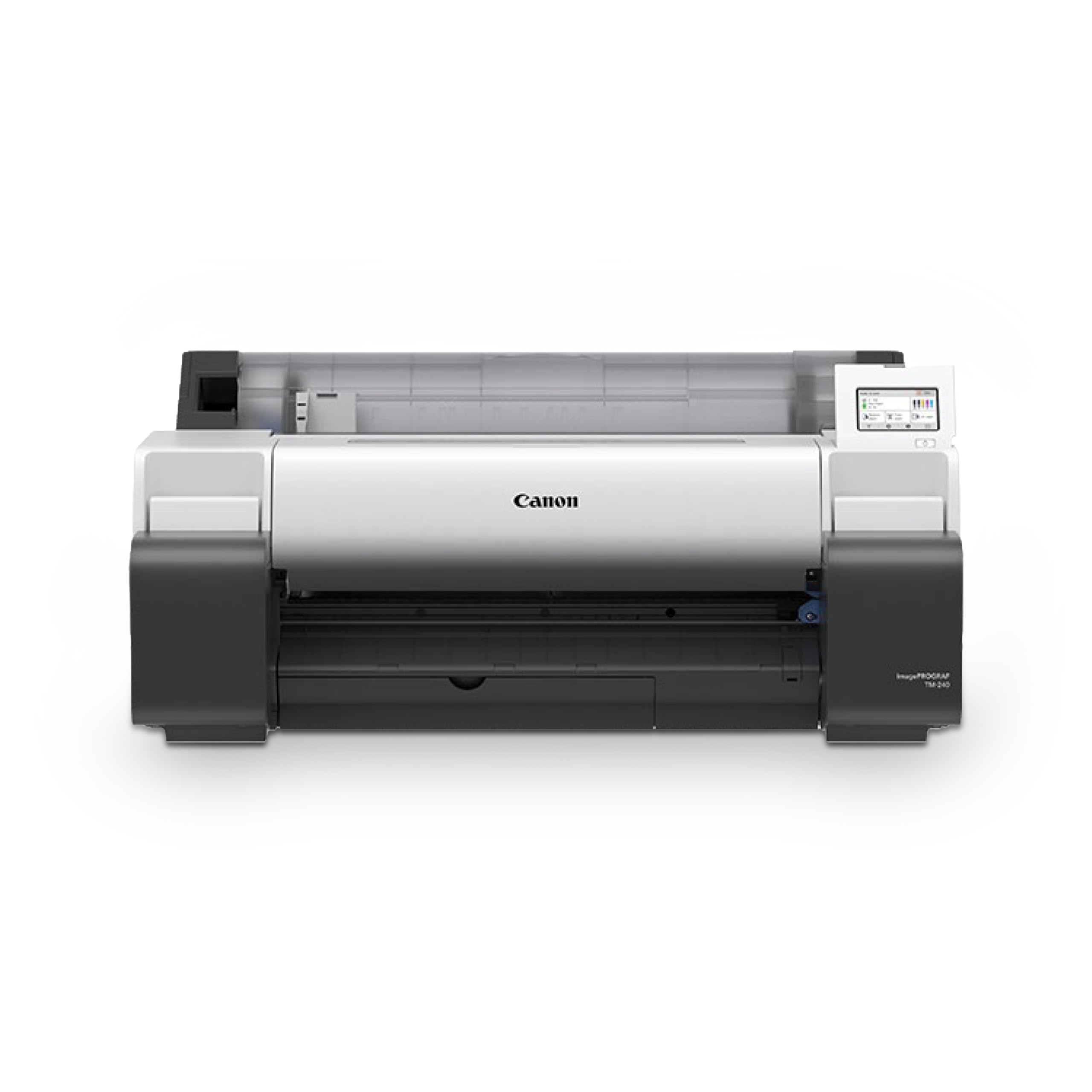
The Canon imagePROGRAF TM-240 is a dependable 24" option for architecture students needing poster and CAD prints with dependable color and detail. It’s a balanced choice for studios focused on affordability without sacrificing essential capabilities.
- 24-inch wide format
- Reliable CAD/poster output
HP DesignJet T210 Large Format 24-Inch Plotter Printer (8AG32T)

The HP DesignJet T210 is a compact 24" plotter with easy CAD and poster printing workflows. The package often includes extended support options, making it attractive for school labs or student studios needing dependable, long-term service.
- 24-inch print width
- Onsite support options available
For architecture students tackling studio projects, choosing the right large format printer can transform how plans, elevations, and juried presentations come to life. This guide dives into what to look for, highlights top options for 2026, and offers practical workflow tips to help you maximize quality, speed, and budget in studio spaces.

What architecture students should look for in a wide-format printer
When selecting a wide-format printer for academic work, think about how you work in studio and in class. Key factors include print volume, media support, color accuracy for presentation boards, and whether you need scanning or copying integrated into the device. If your coursework involves large sets of plan sheets, posters, and juried presentations, a reliable device with predictable output and decent speed will save time and reprints.
- Print volume and duty cycle: Estimate weekly plan sheets, elevations, and presentation panels, then choose a model that handles that workload without overheating or frequent maintenance.
- Media versatility: Look for a printer that supports common architectural media such as bond, vellum, canvas, and durable poster stocks, with wide roll options if you frequently print long runoffs for juries.
- Color and line accuracy: For renderings and color-coded plans, color fidelity and sharp line reproduction matter. Check color management capabilities and ICC profiles supported by the device.
- Integrated scanning (optional): If you need to digitize existing drawings, an all-in-one can save space and streamline workflow, though dedicated scanners may offer faster, higher-resolution scanning.
- Footprint and budget: Studio spaces vary widely; compact deskside or small-form-factor printers may fit tight rooms, while larger studios may prefer a robust wide-format workhorse.
Top wide-format printers for architecture students (2026)
The following models are commonly favored by architecture students and early-career professionals for balancing quality, cost, and practicality. Individual results depend on media choices, color management, and calibration routines.
| Model | Best For | Key Considerations |
|---|---|---|
| Canon TZ-30000 | High-volume course work and studios with frequent large print runs | Production-level output; strong reliability and media handling; higher initial cost |
| HP T2600 MFP | Integrated scanning and copying with solid print performance | All-in-one convenience; scanning can be slower on very large files |
| Epson T7770D | Dual-roll printing and long print runs (posters, display boards) | Excellent media versatility; larger footprint and media loading setup |
| Canon TM-355 | Small studios and tight spaces needing consistent quality | Compact footprint; lower output capacity, good value for students |
| HP Z9+ Pro | Color-critical presentations and renderings | Strong color accuracy; calibration needs consistent attention across media |
Practical comparisons for students
Here’s how these options stack up in common student scenarios. Use this as a quick-reference guide while you plan purchase or rental for a semester.
- Volume vs. space: For high print volume, production-oriented models (like the TZ-30000) minimize reprints but require more studio space and budget. For smaller studios, the TM-355 offers a compact, capable alternative.
- Scanning needs: If you frequently digitize drawings, the HP T2600 MFP’s integrated scanning can streamline workflows, though dedicated scanners may offer faster results for large batches.
- Media flexibility: For posters and long-run prints, the Epson T7770D with dual rolls reduces media changeovers and downtime during crits.
- Color-critical work: For portfolios and juried reviews, the HP Z9+ Pro delivers vibrant color and high-quality graphics that can make a strong impression.
Practical workflow tips for students
- Calibrate color regularly: Establish a simple color-management workflow with ICC profiles tailored to your media to keep colors consistent across assignments.
- Organize prints by project: Create a routine for archiving media types and project templates to speed up future prints for similar tasks.
- Plan for deadlines: Build buffer time into print queues ahead of juries or client reviews to accommodate media changes or reloads on dual-roll machines.
- Consider a shared print station: In lab or maker-space environments, coordinate with peers to share a well-maintained wide-format printer to maximize print time.
What to ask before you buy
Before purchasing, consider these questions to ensure the printer aligns with your course requirements and budget:
- What is my weekly print volume, and can the device sustain it without frequent maintenance?
- Which media types will I primarily use, and does the printer support them reliably?
- Do I need integrated scanning, or will a separate scanner be more efficient for my workflow?
- What are the ongoing costs for ink, media, and maintenance, and how do they fit my student budget?
- Is there campus or retailer support for calibration, media profiles, and troubleshooting?
Frequently asked questions
- What is the best wide-format printer for a tight studio budget?
- Do I need a dual-roll printer for architectural posters?
- Can I use standard office media for architectural plans, or do I need specialized media?
If you’re unsure which model best fits your needs, consider reaching out to a trusted supplier or a design-focused equipment advisor. They can tailor recommendations based on your exact course load, space, and presentation requirements. Choosing the right wide-format printer can streamline your workflow, improve the accuracy of your drawings, and elevate the professionalism of your juried presentations. If you’ve used any of these models in your architecture studies, share your experiences in the comments—what worked well, what surprised you, and any tips you’d add for fellow students?
Picking the right wide-format printer can feel overwhelming, especially with so many models promising results. Architecture students should consider their unique workflow and project demands. Here are essential factors to keep in mind:
- Print volume and duty cycle: Estimate weekly prints and choose a model that sustains that workload without frequent interruptions.
- Media versatility: Ensure the printer can handle bond, vellum, poster stock, and other common media used in architectural work.
- Color and line accuracy: Look for strong color management and sharp line reproduction for professional-looking boards and plans.
- Integrated scanning (optional): An all-in-one can be appealing, but dedicated scanners may offer better speed and resolution for large batches.
- Footprint and budget: Space constraints matter; compact printers with solid output can be game-changers for students.
Top wide-format printers for architecture students (2026)
The selection you choose will depend on your workflow, space, and budget. Here’s a quick refresher on standout options for architecture students:
Canon TZ-30000
This powerhouse is ideal for high-volume coursework. It’s designed for production-level output and handles large print runs efficiently.
- Strengths: Reliable for large projects; excellent media handling and consistent color output.
- Limitations: Higher upfront cost, and ongoing maintenance may be a concern for students on tight budgets.
HP T2600 MFP
With integrated scanning, this model suits students who need to digitize sketches along with printing coursework.
- Strengths: All-in-one convenience; strong scanning and copying capabilities.
- Limitations: Scanning speed can be slower for very large files compared to dedicated scanners.
Epson T7770D
Dual-roll versatility makes it a solid choice for posters and long-running print jobs.
- Strengths: Flexible media handling; minimizes downtime with easy media changes.
- Limitations: Requires more space; setup can be more involved than single-roll models.
Canon TM-355
A compact option for tight studios that still needs reliable print quality for plans and boards.
- Strengths: Space-saving design; solid print quality at an accessible price point.
- Limitations: Lower output capacity; limited upgrade paths for very heavy workloads.
HP Z9+ Pro
Geared toward color-critical presentations, making it a strong choice for juried reviews and portfolio work.
- Strengths: Excellent color accuracy and high-quality image reproduction.
- Limitations: Regular calibration is needed to maintain color consistency across media.
Practical recommendations and next steps
Beyond model specifics, consider campus or retailer support for calibration, media profiling, and troubleshooting. If you’re shopping for a department or school workspace, ABT and similar equipment advisors can tailor recommendations based on your course load, space, and presentation needs.
Choosing the right wide-format printer can elevate your workflow, improve drawing accuracy, and enhance the impact of your juried presentations. If you’ve used any of these models or have tips from your studio experience, share your insights in the comments below—your fellow students will appreciate practical, real-world perspectives.
For additional resources, refer to the TAMUCC I-Create Lab large-format printer and vinyl cutter for a real-world example of a campus-equipped large-format printer that architecture students might access for posters, banners, or large-format plots in a makerspace or media lab. Consider exploring the capabilities (width, materials, and costs) of this printer for architecture students comparing options. If you're interested in purchasing, check out wide-format printers for architecture for consumer-grade or institution-friendly options suitable for architecture drawings and posters.

Innovative Printing Solutions

When it comes to finding the best large format printer for architecture students, it's all about balancing quality, size, and budget. The right printer can make a tremendous difference in how you present your projects, allowing you to showcase your designs with clarity and precision. While options like the Canon imagePROGRAF and the HP DesignJet series stand out, it's essential to consider your specific needs and preferences. Whether you're cranking out stunning renderings, detailed technical drawings, or vibrant posters, choosing a printer that complements your creative process is crucial. Remember to evaluate features like print speed, color accuracy, and media compatibility to ensure you make the right choice for your academic journey.
Stay Connected!
I hope this guide has helped you narrow down your options and find the perfect printer that suits your architectural needs. Don't forget to keep exploring the world of architecture and design; there's always something new to learn! If you want to see more tips and resources, feel free to follow us on Instagram for a daily dose of inspiration here. Happy printing, and may your architectural adventures be ever inspiring!
