
Creating a Space That Will Inspire You: Transform Your Workspace isn’t just about looks; it’s a practical plan to boost focus, creativity, and well-being by balancing daylight, ergonomics, clear work zones, and personal touches. This guide consolidates the strongest ideas from two foundational articles, preserving useful images, examples, and actionable tips while weaving them into one cohesive workflow for a more inspiring, productive space. For readers seeking concrete maintenance strategies, see the Architecture Adrenaline guide to sealing grout to prevent stains to understand how surface protection extends the life of tile surfaces in high-use work areas.
| Element | Practical Guidance | Estimated Budget |
|---|---|---|
| Natural Light | Position primary desks near windows; use translucent shades to minimize glare. | Free–$300 (shades/film) |
| Ergonomics | Invest in a height-adjustable desk, lumbar-supported chair, and a monitor arm. | $400–$1,500 |
| Acoustic Control | Incorporate soft surfaces, rugs, room dividers, or wall panels where needed. | $50–$600 |
Why the Workspace Matters More Than You Think
Our surroundings subtly shape attention, comfort, and health. Daylight helps regulate circadian rhythms and alertness, while accessible posture controls reduce long-term strain. A well-defined circulation plan and clearly separated zones minimize interruptions, supporting a steady, productive flow rather than sporadic bursts of effort. For surface longevity in busy zones, incorporate protective finishes and sealants—such as those covered in the Architecture Adrenaline how-to on sealing grout—keeping high-traffic areas looking fresh longer and reducing maintenance cycles.
Daylight as a Design Tool
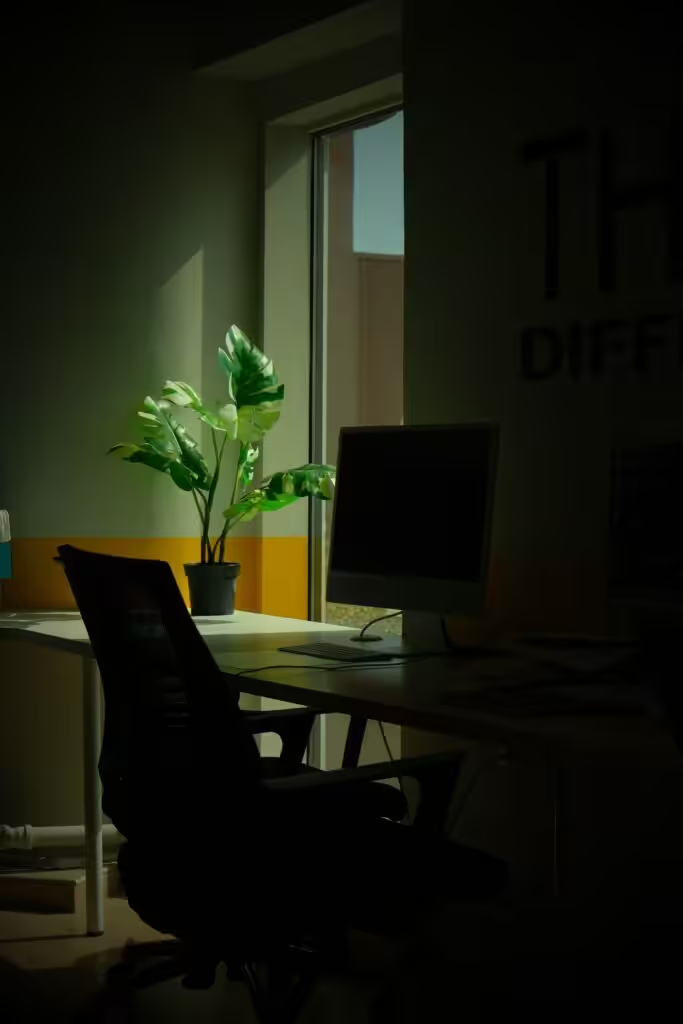
Natural light is the single most potent design element for an inspiring workspace. When possible, orient desks to capture indirect daylight and use side lighting to reduce screen glare. If windows are scarce, opt for broad ambient lighting and task lights with color temperatures around 3,000–4,000K to support focus and comfort. Consider the air quality as well; high-quality air can bolster concentration, aligning with practical workspace strategies discussed in the Best commercial air purifiers for large spaces resource.
Structuring for Focus, Collaboration, and Recharge
Divide space into distinct zones to support different modes of work. A Focus Zone (quiet desks with minimal visual distractions), a Collaboration Nook (small tables or lounges for quick meetings), and a Recharge Area (comfortable seating and a good coffee setup) help reduce context switching and improve overall productivity. When making layout decisions based on long-term usability, consult practical maintenance examples such as the grout-sealing approach to keep surfaces pristine in areas prone to wear.
Ergonomics That Endure
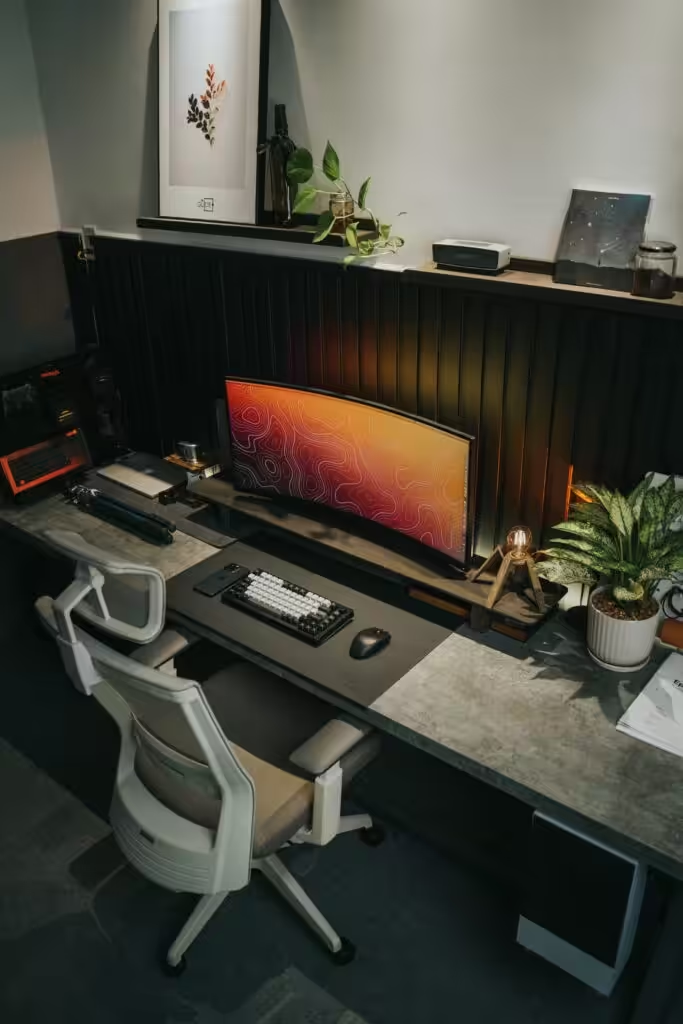
Ergonomic choices are investments in health and long-term productivity. A height-adjustable desk allows for sit–stand variation; choose a chair with adjustable lumbar support and seat depth, and add a monitor arm to keep screens at eye level. These tweaks can reduce neck and back discomfort and pay off over years of routine use. For seating options that balance comfort and price, consider browsing ergonomics guidance and product suggestions like ergonomic office chairs.

Materials, Acoustics, and Surfaces That Realistically Work
Materials affect both sound and light behavior. Hard surfaces reflect more sound and brightness, while soft fabrics absorb noise and create warmth. Use rugs, upholstered panels, and shelving to dampen echoes, especially in rooms with high ceilings. Opt for durable, easy-to-clean surfaces in heavy-use zones rather than delicate woods, ensuring practicality keeps pace with aesthetics. For guidance on maintaining tile and surface integrity in busy spaces, refer to the grout-sealing strategy linked above.
Zoning and Personalization Without Clutter
Balance personal touches with order. Choose a few meaningful items—such as one artwork, one plant, and a small set of books—and keep other surfaces clear. A rotating display grid or a Mission Statement framed nearby can remind you of goals without turning the space into a cluttered archive. Incorporating natural elements, like plants, contributes to mood and perceived air quality, enhancing the overall workspace experience.

Digital Systems That Support the Space
Coordinate your physical and digital work environments. If you use Google Workspace (formerly G Suite), align shared drives, templates, and calendar blocks with your physical zones—for example, reserve a Focus calendar block and link it to a "Do Not Disturb" label. Choose a plan that matches your storage, security, and collaboration needs, empowering your day rather than complicating it. For surface-care routines that complement digital workflows, explore maintenance tips such as grout protection before stains to extend tile life in busy environments.
Acoustic and Visual Comfort
Sound management is essential for concentration. When a remodel isn’t feasible, rely on sound masking, noise-canceling headphones, and targeted absorbers behind workstations. On a budget, heavy curtains and bookshelf arrangements can substantially reduce echo and improve the space’s calm atmosphere. Considering air quality, an appropriately sized commercial purifier can enhance odor control and allergen reduction in shared studios.
Color, Texture, and Visual Hierarchy
Use a calm base color with one or two accent hues to cue different tasks. Warm accents can anchor collaborative areas, while cooler tones support focus. Layer textures—wood, fabric, concrete—to add tactile richness and prevent a sterile feel. The visual anchor should be a dominant element (the desk, a view, or a piece of art) to guide the eye naturally. For inspiration on how material choices affect acoustics and light, see the recommended grout-sealing resource for real-world durability in active spaces.
Maintenance for Longevity
Design with real life in mind. Choose durable finishes, easy-clean fabrics for frequently used seating, and modular storage that can adapt over time. Plan for simple cable management and allocate a yearly refresh budget to replace worn items before they degrade the workspace vibe. Integrate periodic surface maintenance steps—such as grout sealing where applicable—to preserve appearance and functionality over years of daily use.

Minimal Upgrades That Deliver the Most
- Ergonomic chair with adjustable lumbar support and depth.
- Monitor arm(s) to position screens at eye level.
- Height-adjustable desk or standing converter.
- Layered lighting: a task lamp plus ambient lighting.
- Acoustic treatment and a single healthy plant.
Tackle ergonomics and lighting first for the clearest, fastest returns. If you’re optimizing for air quality in a larger workspace, pair these with a properly sized purifier to maintain a healthy environment while you work.
Small Design Moves That Move the Needle
- Preserve clear sightlines to create a sense of openness and reduce claustrophobia.
- Define the entry with a discreet hook or tray to curb clutter from the moment you walk in.
- Implement a simple “focus” mode for devices to minimize interruptions during deep work.
One-Week Tune-Up Plan
- Day 1: Clear the desk and establish the focal point. Return only priority items.
- Day 2: Reassess desk placement relative to daylight; measure task lighting levels.
- Day 3: Upgrade ergonomics (chair height, monitor height, keyboard position).
- Day 4: Add an acoustic layer and at least one plant.
- Day 5: Set digital boundaries and focus time blocks.
- Day 6–7: Fine-tune (adjust lamps, reconfigure small items, trim clutter).
Final Practical Guidelines for an Inspiring Workspace
Design to minimize friction. Favor daylight and ergonomics first, then establish zones for different work modes. Personalize with intention, but avoid clutter. A truly inspiring space quietly removes obstacles to doing good work, so your day naturally follows the space’s lead.
What has been your most effective upgrade to boost focus or mood in a workspace? Share your experiences, questions, or photos in the comments—and tell us how you’ve transformed your space to better support your daily work and goals.
Building The Ultimate Office Library: Part 2:
Transforming your workspace is more than just a design project; it’s an opportunity to create a personal haven that fuels your creativity and productivity. As you incorporate elements that resonate with you—through thoughtful color choices, inspiring art, or even the right lighting—remember that this space is all about reflecting who you are. Take the time to curate a workspace that not only feels comfortable but also ignites your passion for what you do. Every little change can contribute to an environment where you feel motivated and excited to tackle your goals.
Stay Inspired and Connected
As you embark on this journey of transformation, don’t forget to share your progress and seek inspiration from others. There’s a wonderful community out there waiting to connect over design ideas and creative solutions. For more tips and to see some amazing transformations, feel free to check out our Pinterest page where we share plenty of inspiring workspace layouts. Let’s inspire each other as we cultivate spaces that truly uplift! 🌟
